Release notes
SMART Mirror 4.49
Release date: | December 1, 2025 |
Versions: | Embedded iQ apps:
Client apps:
|
Summary | This release introduces enhancements to SMART Mirror such as screen share previews for moderators, improved connection stability, and multitouch gesture support for touchback. Users will also benefit from better broadcast performance, more reliable AirPlay discovery, and full keyboard navigation for improved accessibility. Important Starting with version 4.47, devices will require SMART Mirror client version 2.45 or later for touchback to function. Make sure client apps are updated to 2.45 or later to ensure continued compatibility and avoid disruptions. |
Embedded (receiver) app
Highlights
Preview shared screens before they appear on the display.
Moderators can now preview a participant’s shared screen directly on the display before approving it. This added layer of control helps ensure that only appropriate and relevant content appears on the main screen, enhancing session moderation and security.
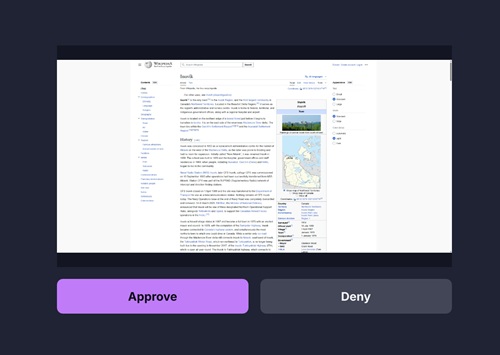
When a participant accepts a screen share invitation and selects what to share, a preview appears on the display. The moderator can then approve or deny the request. If approved, the content is shared with the group; if denied, the participant is notified.
Stronger, more reliable connections.
This release improves connection stability, reducing dropouts and disruptions for a smoother experience, even in less-than-ideal network conditions.
We’ve improved how the client devices connect to the SMART Mirror session and how SMART Mirror maintains those connections. It now prioritizes the best available network path, using the local network when possible, for optimal performance. If a connection is disrupted, SMART Mirror will automatically attempt to recover it—minimizing interruptions unless the network is entirely unavailable.
Improved media traffic labeling for better network performance.
All audio and video streaming traffic is now correctly tagged with Differentiated Services Code Point (DSCP) values. This enables network administrators to prioritize media traffic on enterprise networks, helping ensure smoother audio and video performance—even in high-traffic environments.
Improved AirPlay discovery.
AirPlay devices can now find and connect to displays more reliably, even in complex network setups, making content sharing faster and more seamless.
Improved broadcasting performance.
We’ve enhanced the broadcasting experience by introducing a new backend service designed for more reliable and efficient streaming. Key benefits include:
Smarter network handling: When the broadcasting display has limited bandwidth, the stream will now reduce in quality instead of cutting out—ensuring a more stable viewing experience for devices receiving the broadcast.
Automatic reconnection: Devices receiving the broadcast will automatically try to reconnect if the connection is dropped.
Multitouch gestures now supported for touchback.
Users at the main display can now use familiar multitouch gestures—like pinch-to-zoom—when interacting with shared content through touchback. This update makes collaboration more intuitive by supporting natural touch interactions.
The display accurately sends touch inputs back to the connected device, but how the shared content responds may vary depending on the device.
Note
Multitouch gestures are not currently supported when connected via Miracast.
Touchback control for all connected screens.
When sharing a secondary screen from the SMART Mirror app, users now have full touchback control—just like with their primary screen. This allows presenters to maintain privacy on their main screen while still engaging with shared content on the display as usual.
By standardizing touchback across all shared screens, this update eliminates confusion around display settings and improves the overall sharing experience.
Improved IR remote navigation.
Controlling the display with an IR remote is now smoother and more intuitive. This update builds on previous support to deliver a better navigation experience, making it easier to move through menus and interact with the interface.
Resolved issues
Fixed an issue where volume decreased unexpectedly when starting the SMART Mirror app on the display.
Fixed an issue where the Broadcast to Participant feature failed to start on GX (V4) Plus displays.
Fixed an issue that caused the app to crash when switching networks.
Fixed an issue where Unlimited Connections and Broadcast were disabled despite an active internet connection.
Fixed an issue where unstable network conditions disrupted license verification.
Fixed an issue that prevented new Unlimited Connections sessions from being created after network disruptions.
Fixed an issue where Broadcast to Participants failed to start.
Fixed an issue where adjusting the display’s volume had no effect on shared audio.
Client apps
Highlights
Improved accessibility with full keyboard navigation in the SMART Mirror web app.
Users can now navigate all elements on the web app using only the keyboard, improving accessibility and ease of use.
Resolved issues
Improved quality and frame rate when sharing content using the web app by updating to the latest version of WebRTC.
Resolved an issue that caused low video quality and frame rate when sharing using the web app.
Fixed an issue that prevented audio from playing when sharing using Miracast.
Resolved poor Miracast streaming quality when playing YouTube videos.
Integrated the latest Google Cast SDK for improved casting performance.
Added clearer error messaging when connection to a display running SMART Mirror in the background fails.
Fixed an issue in the desktop app that caused the screen to freeze.
SMART Mirror 2.49 for Windows and Mac
Release date: | December 1, 2025 |
Versions: | Mac: 2.49.1.50573 Windows: 2.49.1.50571 |
Resolved issues
Fixed an issue in the desktop app that caused the screen to freeze.
Important
Windows only: SMART Mirror 4.49 and later will require devices have this SMART Mirror client version (2.49) or later for upcoming features, including multitouch when used with SMART Notebook, to function. Update now to avoid disruptions.
 Previous release notes2.45 release notes
Release date | September 2, 2025 |
Version | |
Client apps | Mac: 2.45.2.48377 Windows: 2.45.2.48376 |
Highlights | |
Client apps | This update for the SMART Mirror client apps includes:
Important SMART Mirror 4.49 and later will require devices have this SMART Mirror client version (2.45) or later for touchback to function. Update now to avoid disruptions. |
|---|---|
4.41 SP1 release notesRelease date | July 14, 2025 |
|---|---|
Version | |
Embedded (iQ 4) app | 4.41.10.142 (MX-V5, RX, QX-V2) 4.41.10.130 (MX-V3, 6000S-V3) 4.41.10.140 (AM60) 4.41.10.47830 (NX, GX-V4 Plus) |
Embedded (iQ 3) app |
|
Client apps | Mac: 2.41.2.97 Windows: 2.41.2.49 |
Resolved issues | |
Embedded app |
|
Known issues | |
Embedded app |
|
4.41 release notesImportant
This release addresses an issue where SMART Mirror would quit unexpectedly — either during a restart or when initiating a new meeting. To ensure a stable and reliable experience, SMART Mirror 4.41.6 temporarily removes Google Cast from the software. Our Development team is actively working on restoring Google Cast functionality with a more flexible and reliable protocol.
In the meantime, users can continue to share their screens using the desktop app, mobile app, or web client. Miracast and AirPlay are also unaffected and remain available as alternatives.
Release date | March 25, 2025 |
|---|---|
Version | |
Embedded app | 4.41.6.47316 |
Client apps | Mac: 2.41.2.97 Windows: 2.41.2.49 |
Highlights | |
Embedded app |
|
Resolved issues | |
Embedded app |
|
Known issues | |
Embedded app |
|
Release date | March 25, 2025 |
4.35 release notesRelease date | October 9, 2024 |
|---|---|
Version | |
Embedded (iQ 4) app | 4.35.6.126 (MX-V5, RX, QX-V2 Pro) 4.35.6.123 (AM60) |
Embedded (iQ 3) app | 4.35.6.119 (MX-V2, MX-V3, MX-V4, QX-V1 Pro, 6000S, 6000S-V3, 7000-V2, and 7000R) |
Client apps | Mac: 2.35.3.95 Windows: 2.35.3.43 |
Highlights | |
Embedded (iQ) app |
|
Resolved issues | |
Embedded (iQ) app |
|
Known issues | |
Windows app |
|
4.32 release notesRelease date | August 12, 2024 |
|---|---|
Version | |
Embedded (iQ) app | 4.32.5 (iQ 3) 4.32.3 (iQ 4) |
Client apps | Mac: 2.32.0.32713 Windows: 2.32.0.32712 |
Highlights | |
iOS |
|
Android |
|
Embedded (iQ) app |
|
Resolved issues | |
Embedded (iQ) app |
|
Known issues | |
Windows app |
|
4.29 release notesRelease date | March 14, 2024 |
|---|---|
Version | |
Embedded (iQ) app | 4.29.3 |
Client apps | Mac: 2.29.0.30294 iOS: 2.29.3029518 Android: 2.29.0.13 Windows: 2.29.0.30293 |
Highlights | |
iOS |
|
macOS |
|
Windows |
|
Known issues | |
Windows app |
|
Related release notes | |
iQ system software | |
iQ Pro system software | |
4.27 release notesRelease date | January 18, 2024 |
|---|---|
Version | |
Embedded (iQ) app | 4.27.0 |
Client apps | Mac: 2.27.28708 iOS: 2.27.28710137 Android: 2.27.0.35 Windows: 2.27.0.28707 |
Highlights | |
iOS app |
|
macOS app |
|
Windows app |
|
Resolved issues | |
Embedded (iQ) app |
|
Known issues | |
Windows app |
|
Related release notes | |
iQ system software | |
iQ Pro system software | |
4.25 release notesRelease date | November 27, 2023 |
Version | |
|---|---|
Embedded (iQ) app | 4.25.0.72 |
Client apps | Mac: 2.25.0.82 iOS: 2.25.0.27462 Android: 2.25.0.27458 Windows: 2.25.0.28 |
Highlights | |
Embedded (iQ) app |
|
Resolved issues | |
iOS app |
|
Windows app |
|
Related release notes | |
iQ system software | |
iQ Pro system software |
4.22 release notesVersion | |
|---|---|
Embedded (iQ) app | 4.22.0.25172 |
Client apps | Mac: 2.22.1.27915 iOS: 2.22.1.27917 Android: 2.24.1.27913 Windows: 2.22.1.27936 |
Highlights | |
Embedded (iQ) app |
|
Web app |
|
Resolved issues | |
Embedded (iQ) app |
|
iOS app |
|
macOS app |
|
Android app |
|
Windows app |
|
Web app |
|
Known issues | |
Embedded (iQ) app |
|
iOS app |
|
Related release notes | |
iQ system software | |
iQ Pro system software |

 General4.17 release notes
Note
This update is not automatically installed. To update, open SMART Mirror on the display and tap Install update when prompted. The update will take a couple of minutes to apply.
Version | |
|---|---|
Embedded (iQ) app | 4.17.1 |
Client apps | Mac: 2.17.0.19173 iOS: 2.17.0.19042 Android: 2.17.0.19040 Windows: 2.17.0.19403 |
Highlights | |
Embedded (iQ) app |
|
Resolved issues | |
Client apps |
|
Known issues | |
Embedded (iQ) app |
|
4.16 release notesNote
This update is not automatically installed. To update, open the SMART Mirror on the display and tap Install update when prompted. The update will take a couple of minutes to apply.
Release date | January 31, 2023 |
|---|---|
Version | |
Embedded (iQ) app | 4.16.0 |
Client apps | Windows: 2.16.0.16945 Mac: 2.16.0.18013 iOS: 2.16.0.18013 Android: 2.16.0.16947 |
Highlights | |
Embedded (iQ) app |
|
Client apps |
|
Resolved issues | |
Embedded (iQ) app |
|
Known issues | |
Embedded (iQ) app |
|