About the plans
There are three plans for Lumio:
Free
Standard
Spark
Free means you are using Lumio without a subscription. Standard and Spark plans mean that you or your school have a subscription.
Note
To learn about the differences between tiers, see smarttech.com/lumio/pricing.
 How the free plan works
When you use the free plan, you can add a total of 20 files or sessions combined (counted as 100 MB) to Lumio and access other features without limitation. Files are displayed in the My Library tab and sessions are displayed in the Class Sessions tab.
You can sign up for the free plan at smarttech.com/lumio/pricing.
Note
You get access to the free plan automatically if your subscription expires and is not renewed.
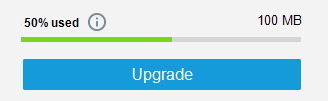
How is storage calculated in the free plan?One file or session in Lumio is counted as 5 MB. This means that with the 100 MB limit, you can effectively have up to 20 files or sessions in your library. For example, if you have 10 files, a bar shows that you have used 50% of the available storage when you open the User menu in the top-right corner of the page.
 What happens when I’ve reached the storage limit?
When you’ve reached the limit, you will no longer be able to add files or sessions. However, you can still edit and deliver existing lessons. You can also delete your existing files in the My Library tab or sessions in the Class Sessions tab to give you more space to add new ones.
In some cases, you might exceed the storage limit. This can happen if your subscription expires and you have more than 20 files or sessions saved. In this case, some options are disabled, including lesson delivery options, editing, and sharing. However, you can still open sessions and review past student data. To re-enable the features, purchase a subscription or delete files or sessions until you are within the storage limit.
How the Standard and Spark plans workBoth Standard and Spark plans are available as subscriptions. When either you, your school, or your district purchases a subscription for either plan, you get access to Lumio with no storage limitations.
Depending on your region and how your subscription was purchased (either by you or by your school or district), your subscription might renew automatically or be managed through the SMART Admin Portal.
Note
Subscriptions for organizations need to be claimed within 1 year of purchase.
The Spark plan gives you additional features, such as the ability to create shared libraries. If your school or district has purchased a subscription to Lumio Spark, then you’ll also have access to an organization library.
To renew or cancel a subscriptionDepending on the type of subscription, group or single, the process to renew or cancel is different. Read the following table to learn more.
Type of subscription | How to renew or cancel |
|---|---|
Group | Typically, schools purchase SMART software subscriptions on behalf of their teachers and have an administrator responsible for managing them. The responsible administrator should contact the SMART reseller to renew the school’s subscription or they can click here to complete a form and begin the renewal process with the school’s preferred reseller. |
Individual | An individual plan purchased directly from SMART with a credit card is auto-renewing, billing yearly on the date of the original purchase. Canceling the subscription stops the auto-renewal, and the subscription remains active until the end of the current billing period. Manage your subscription by signing in to Lumio. Access your subscription through the user menu by selecting Manage individual plan. Note If you don’t see the Manage individual plan option, your account is likely part of a group subscription that is managed by your school or district. Contact the person responsible for managing subscriptions in your organization. From here you can manage the following subscription details:
|