Manage the domain account
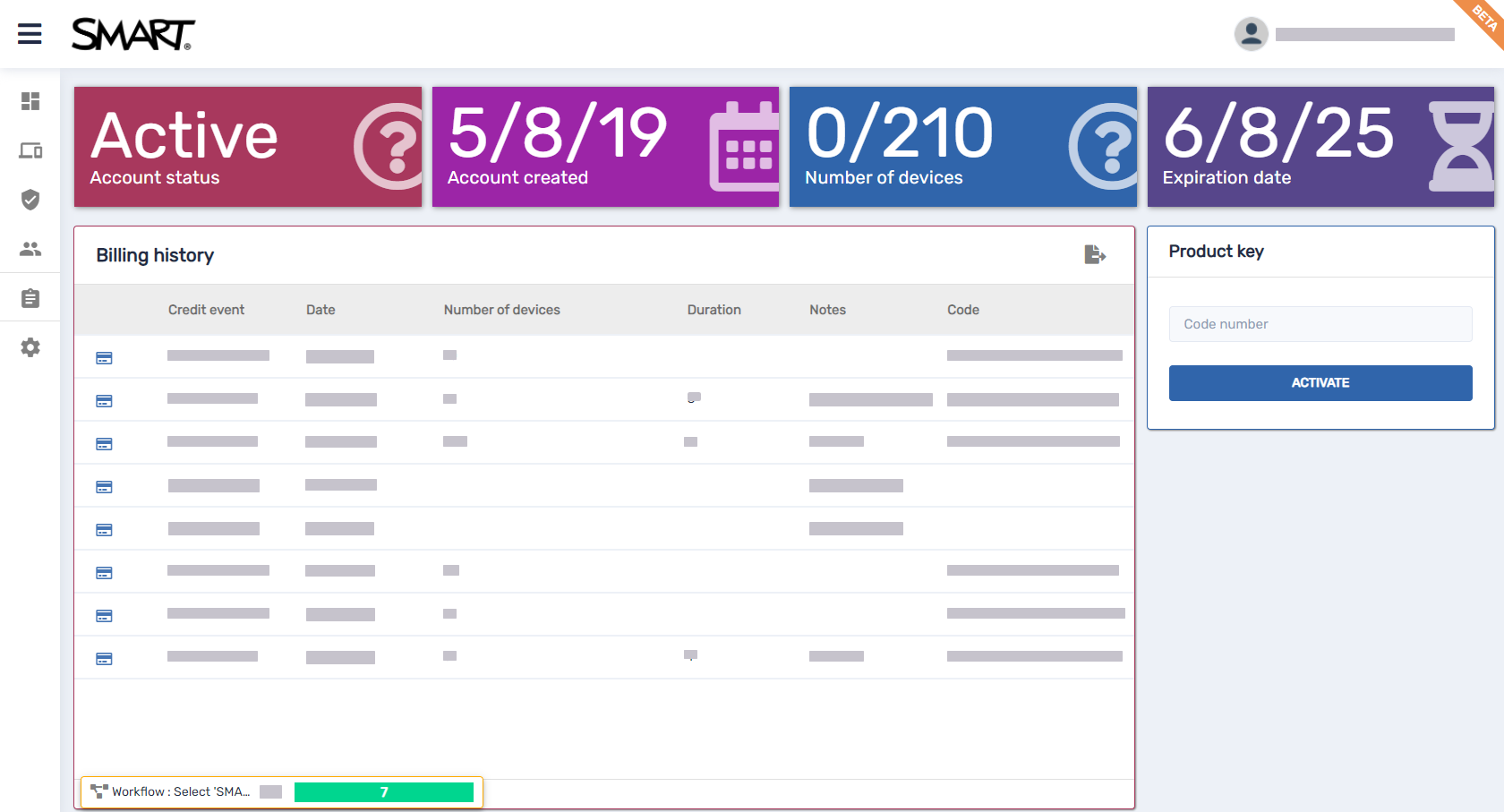
You can use the domain account dashboard to view information about the domain account you created, including the status of the domain account, the number of enrolled and available devices, and billing history. To open the domain account dashboard from anywhere in SMART Remote Management, click and select Billing.
 Change domain account settings
Using the Account settings window, you can change settings for the domain account you created or delete the domain account entirely.
To change domain-account-level settings
Click
 Account Settings.
The Account settings window appears.
Change domain-account-level settings:
Icon
Tab
Description

Remote control
Enable or disable the permission requirement for starting remote control sessions.
Type an email address in the Alerts mail box to receive email alerts from SMART Remote Management.

Pair with organization domain
Pair SMART Remote Management with your organization’s domain account (for use with Chrome OS devices).

DEP settings
This setting is not supported in SMART Remote management.

VPP settings
This setting is not supported in SMART Remote management.

Android For Work
Note
Android for Work (also known as Android Enterprise) enables the creation of an additional work profile on Android devices allowing work apps and data to be kept separate from personal apps and data.
Android for Work (AFW) enrollment is not recommended for use with SMART Board interactive displays or SMART appliances. Instead, follow the steps in the links below for enrolling SMART devices and other devices in SMART Remote Management.

Device pairing
Use to add a pairing code for the device.
Note
Device pairing is a new security layer added to device provisioning. After a pairing password is set, device enrollment includes an account password verification. This helps prevent accidental enrollment in a wrong account.

Health check thresholds
Use to define the minimum battery and upload and download speed values enrolled devices can work with.

Import tags and labels
Use to upload a CSV file containing the device ID and the corresponding tags you want to add to them.

Audit logs
Shows commands executed in SMART Remote Management that are not shown by default in the Command History view, such as:
Device removal
User creation, deletion, or change
Repository item creation or deletion
Start and end times for a remote support session
Click Save.
Delete the domain accountImportant
Only the domain account admin can delete the domain account.
Deleting the domain account removes all information from SMART Remote Management and cannot be undone.
Click Account Settings.
The Account settings window appears.
Click Delete Account.