Using Lumio by SMART on the Chromebox
Lumio is a web-based app that you can always access through a browser. However, if you use Lumio frequently, you can create a personal web app and pin it to your ChromeOS app shelf. This allows you to open Lumio with a single click and get started right away.
The Lumio web app includes all the same features and tools as the browser version, making it a convenient option for quickly accessing your lesson files and delivering interactive learning experiences.
To create a Lumio web app
Open the Chrome browser and navigate to Lumio (lum.io).
Sign in to your Lumio (SMART) account.
In the navigation bar, tap the Install
 icon that appears in the address bar.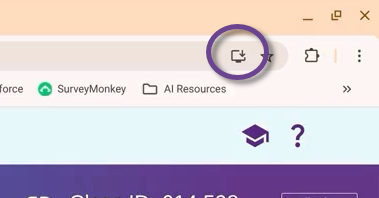
Tip
You can also tap More
 Cast, save, and shareInstall page as app.
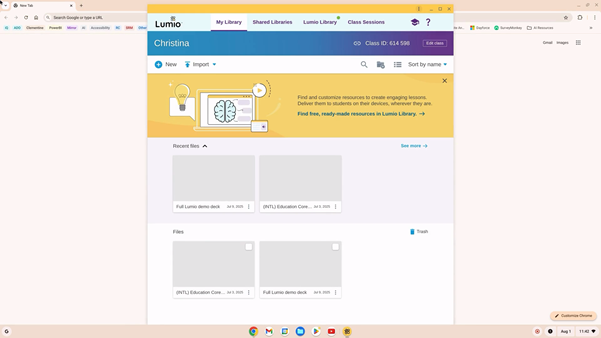
Lumio opens in an app window:
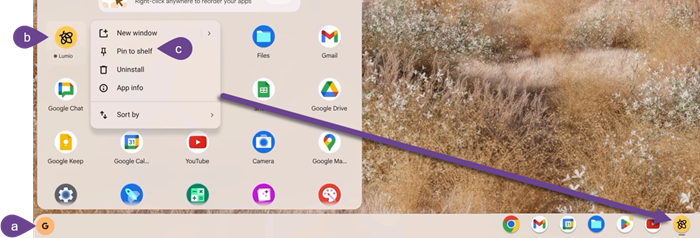
You can pin the app to the app shelf for quick access by (a) opening the app launcher, (b) pressing and holding the Lumio app and (c) selecting Pin to shelf: