Licensing and activation
SMART OneLaunch licenses can be purchased from SMART resellers or may be included with your SMART Board. If included with your SMART Board, you will still need to activate the license using the process below.
All license activations begin in the SMART Admin Portal, where purchased licenses are claimed and converted into license keys. These keys are then redeemed in your Airtame Cloud account.
You may use a free 30-day trial initially.
Note
30-day trials are only available one-time per organization.
 Activating a license
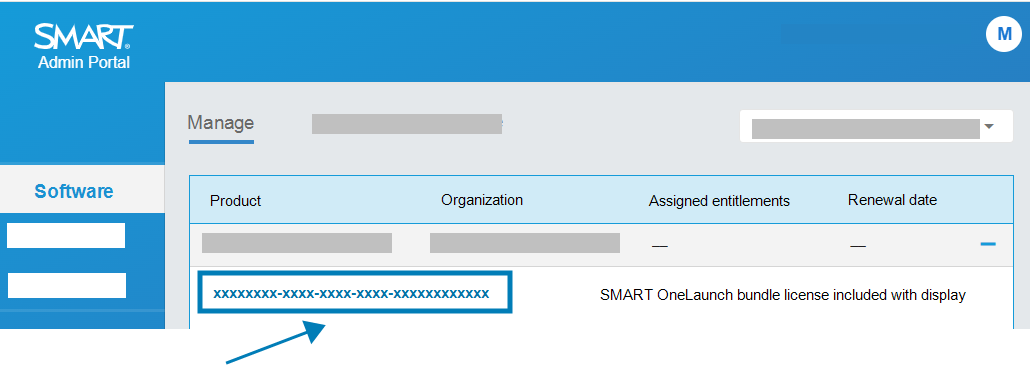
Claim your license in the SMART Admin Portal. A corresponding license key will be generated.
Sign in to your Airtame Cloud account as the Owner or an Administrator.
Browse to Settings

 Subscription.
Copy the license key from SMART Admin Portal and paste it into your Airtame Cloud account in the License key section.
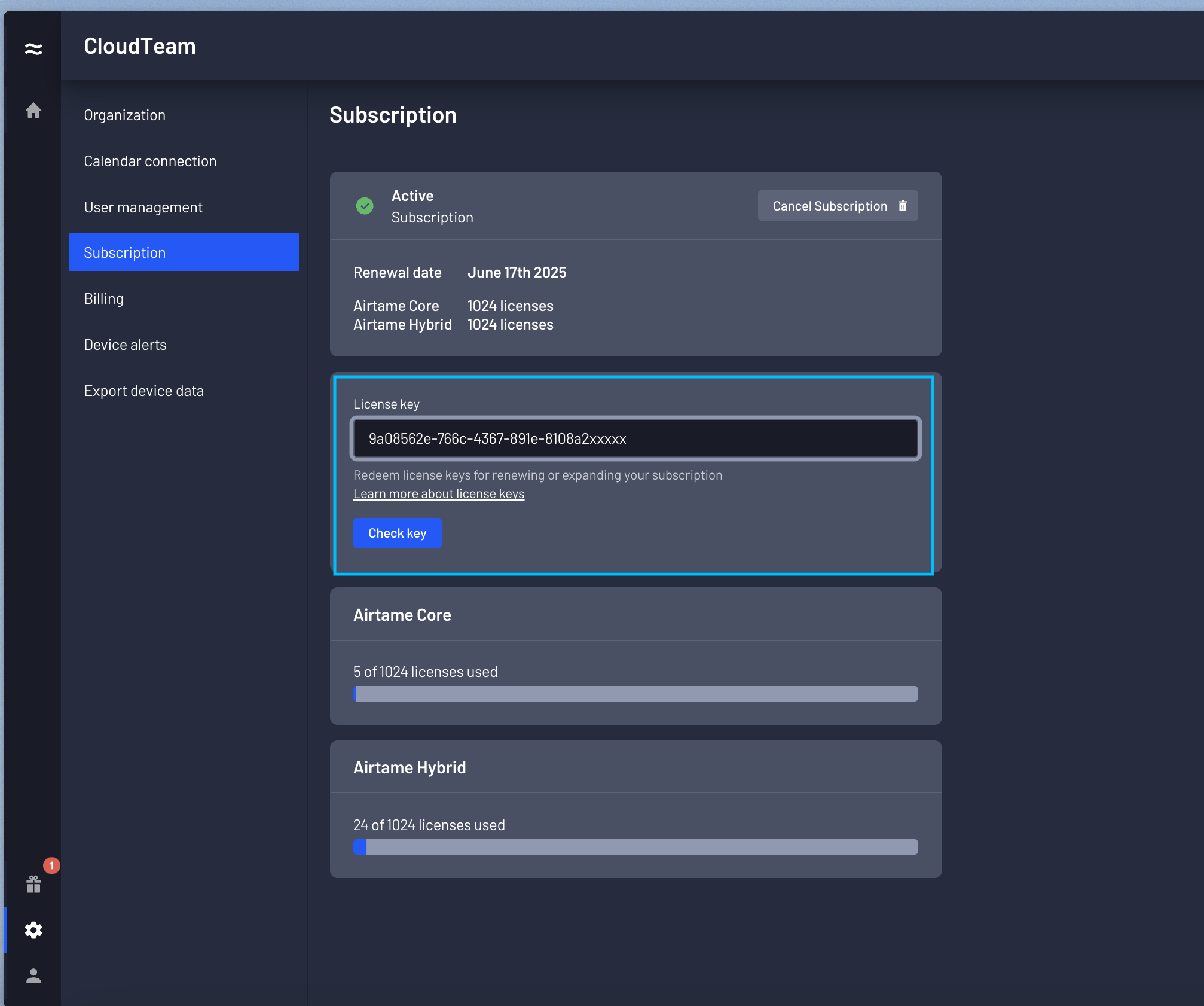
Click Check key to verify the license key is correct.
Click Redeem to add the license to your organization’s license pool.
Note
At this stage, the license is not yet active on any device. It’s simply available to be assigned to a device.
For more information on licenses:
Assigning licenses on Airtame CloudAfter you have added devices to your organization’s Airtame Cloud, assign a license as follows.
Sign in to your Airtame Cloud account as the Owner or an Administrator.
Browse to Devices
 .
.In the device list, locate the SMART Board interactive display you want to assign a license to and click Settings
License.
Choose an available license from the pool and assign it to the selected display.