Using the Sensors app
Use the Sensors app on a display equipped with environmental sensors to view the values from those sensors.
Note
The Sensors app is available only on SMART Board RX and QX (V2) Pro displays.
To open the Sensors app
From the Home screen, tap SMART Tools
 to open SMART Tools and Utilities.
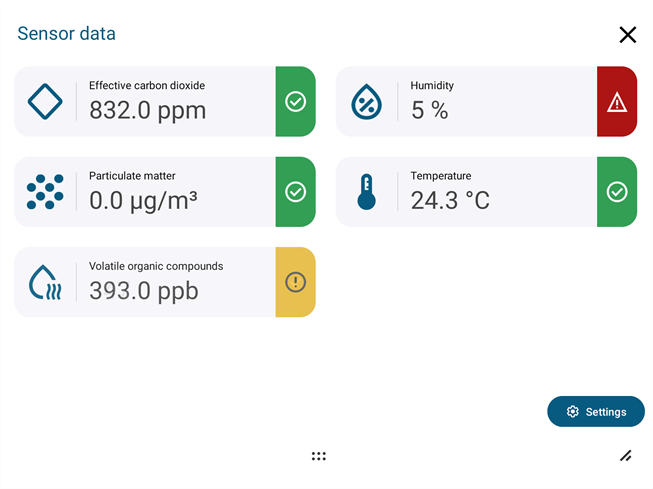
Tap Sensors
 . The Sensor data screen opens.
Important
SMART has made commercially reasonable efforts to ensure the accuracy of the sensors, but their reported values should not be relied on to determine safe temperatures. The sensors provide generation information only: they are not life safety rated and have not been certified.
All information, including the Safe/Caution/Danger labels, is provided for convenience only, and SMART shall not be liable on any ground whatsoever to any party in respect of decisions or actions made as a result of using the information. It is your obligation to understand the requirements for your area when determining which measurements are safe.
 Sensor status
Each sensor displays its current status.
Safe

Caution

Danger

See Sensor information for details about how sensor status is assessed.
You can turn off sensor status in the Sensor settings screen.
Sensor informationTo view more details about the values displayed for a sensor, tap the sensor’s symbol on the Sensor data screen. A sensor information screen opens explaining what the sensor measures and how its status is assessed.
Sensor settingsTap Settings to open the Sensor settings screen. You can change the following sensor settings:
Temperature - Switch between Celsius and Fahrenheit.
Warning color - Toggle off to stop showing sensor status icons.
Information - Toggle off to remove access to Sensor information screens.