Adjusting the volume
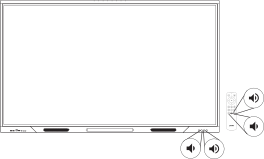
Use the buttons on the front control panel or the remote control to increase, decrease, or mute the display’s volume.
See alsoConfiguring a display for the best audio performance
See alsoTroubleshooting
To turn the volume up or down
Press the Volume Up
 button or Volume Down
 button on the front control panel or the remote control.
To mute the volume
Press and hold the Volume Down
button on the front control panel or the remote control.