Connecting to a network
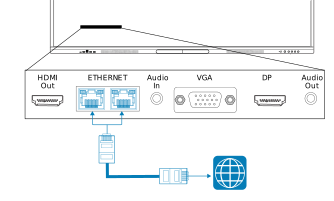
You can connect the display to a network using one of the RJ45 Ethernet jacks. The display’s network connection is then shared internally with an OPS PC, if installed in the display’s accessory slot.
Important
Do not use the RJ45 jack on an OPS PC to connect to a network.

If you’re using one of the display’s RJ45 jacks to connect to an Ethernet network, you can connect the other jack to a computer to provide network access for the computer. This is particularly useful if there is only one wired network connection in the room. (Network access is available when the display is on, but not when it’s in Standby mode).