Raising, lowering, and resetting the stand
Warning
Ensure the locking bolts are securely tightened before operating the stand.
Do not allow children or people who are not able to safely operate the stand to use it.
To prevent injury, keep hands and people away from crush and pinch locations on the stand.
Operating the stand can create a hand-crushing or hand-pinching hazard. To prevent injury, keep hands and people away from crush and pinch locations on the stand.
Allow adequate clearance above and below the stand to ensure safe raising and lowering.
Ensure cables will not be pulled out or tangled when you lower and raise the display.
The WSE-500 (WS5-1) stand is certified for Usage Area IA. This means the stand is intended for use in a classroom setting where children under 8 and users with cognitive disabilities may be present.
The WSE-510 (WS5-2) stand is certified for Usage Area II, and the display includes a lockout feature on the control panel. This means while only trained personnel should operate the display, it is not expected that constant supervision will be maintained, and the stand may be left unattended.
Caution
Do not raise and lower the stand for more than two minutes at a time.
Important
When operating the stand, you must be familiar with the entrapment hazard of the stand, the mounted display, and of mounted accessories. In some cases, there can be less than
This product may contain substances that are candidate SVHCs under the EU REACH Regulation (EC) 1907/2006. Check https://echa.europa.eu/scip-database for the latest information.
 Raising and lowering the WSE-500 stand manually
To raise the stand
Press and hold the up button on the control switch.
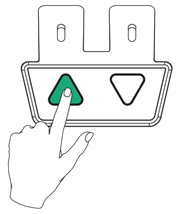
The stand rises.
Stop pressing the up button to stop raising the stand.
To lower the stand
Press and hold the down button the control switch.
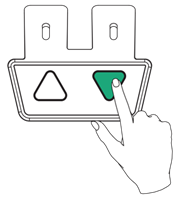
The stand lowers.
Release the down button to stop lowering the stand.
Raising and lowering the WSE-510 modelUnlocking the height-adjustment safety lockOn WSE-510 stands, the stand’s height-adjustment mechanism locks automatically after 20 seconds of inactivity. Unlock the height-adjustment lock before you raise or lower the stand.
To unlock the stand’s height adjustment
Press and hold the Up and Down buttons on the control switch for four seconds.
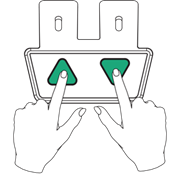
Raising and lowering the stand manuallyTo raise the stand manually
Press and hold the Up button on the control switch.
The stand rises.
Stop pressing the Up button to stop raising the stand.
To lower the stand manually
Press and hold the Down button on the control switch.
The stand lowers.
Stop pressing the Down button to stop lowering the stand.
Raising and lowering the stand using the SMART Electric Stand appYou can control the stand using the SMART Electric Stand app. To download and install the app to your display, see support.smarttech.com/docs/accessories/stands-and-wall-mounts/fse-500/en/home.cshtml.
To open the SMART Electric Stand app
Ensure the stand is connected to the display with a USB cable.
On the display, go to where the display’s apps are located.
Tap the SMART Electric Standicon to open the app.
Options:
Up. Raise the stand.
Down. Lower the stand.
Memory 1 and Memory 2. Set a favourite position.
Calibrating the stand using the SMART Electric Stand appTo calibrate the stand
After assembling the stand, you must calibrate it before you start to use it. If you haven’t already calibrated the stand manually, you can use the SMART Electric Stand app to do it.
Press the Down button and lower the stand to the lowest position.
Press and hold the Down button for five seconds. The stand lowers then bounces up slightly.
Release the Down button.
Setting and using favourite positionsYou can save up to two positions in the stand’s memory. You can then raise or lower the stand to these favorite positions.
To set a favorite position
Raise or lower the stand to the height you want to set as the favorite position.
On the display, go to where the display’s apps are located.
Tap the SMART Electric Stand icon to open the app.
Press and hold the Memory 1 button until the display shows SMART electric stand position added.
Now when you select the Memory 1 button, the stand will move to this assigned position.
You can use the Memory 2 button to set a second saved position.