Components
The stand consists of the following components:
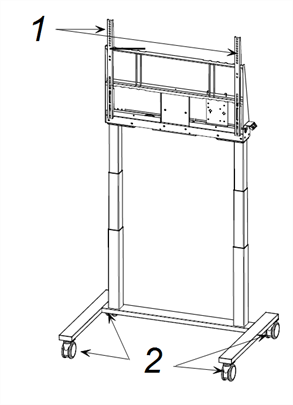
No. | Description |
|---|---|
1 | Vertical VESA mounting brackets |
2 | Dual-locking 4” casters |
[Not shown] | Back cover (rear surface) |
 Control panel
You can raise and lower the stand with the control panel. It’s located on the right side of the stand, but you can remove and attached it to a mounted display. See the illustrated installation instructions for information on how to move the control panel.
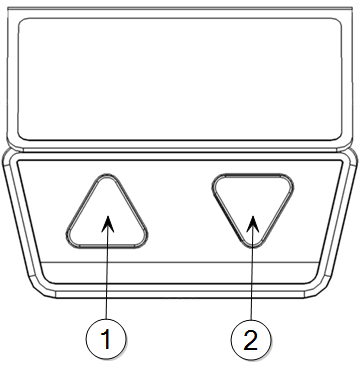
No. | Name | Procedure |
|---|---|---|
1 | Up | Press to raise the stand. |
2 | Down | Press to lower the stand |